
How to uninstall AutoCut on MacOs ?
👉 If you're on Windows, follow this tutorial.
Step 1 - Uninstall the Application
Drag AutoCut.app into the Trash.
Step 2 - Delete Temporary Files
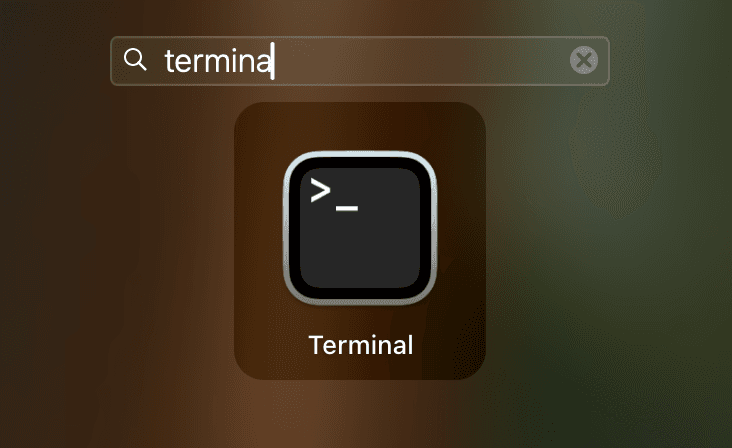
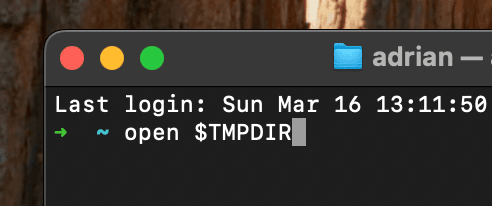
- Open Terminal and write:
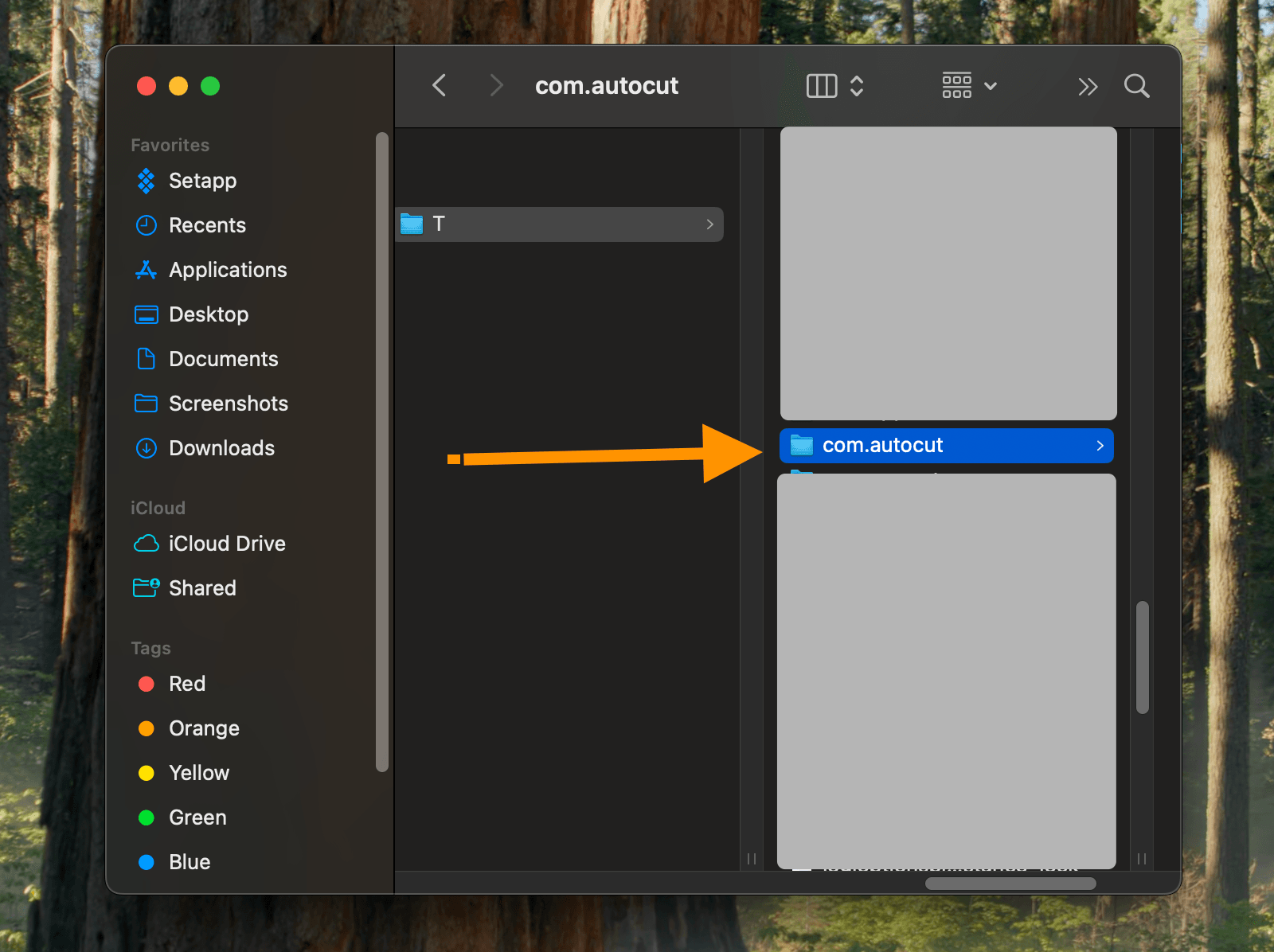
open $TMPDIRthen press enter Then find com.autocut folder and delete it.
Step 3 - Delete Applications files
- Open Finder and click on Go to.
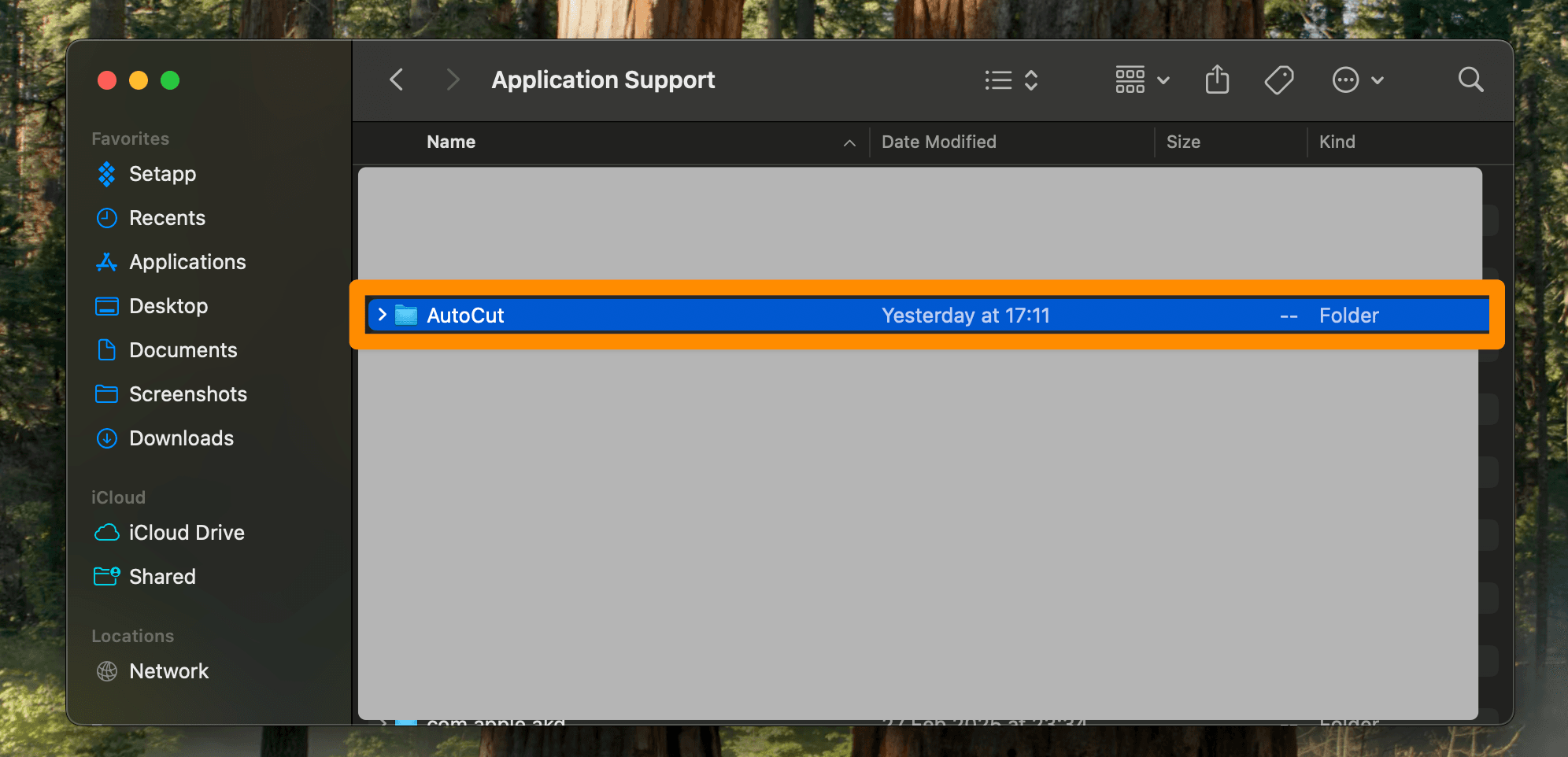
Paste the following path: ~/Library/Application Support/
Delete the AutoCut folder.
Step 4 - Conditional Deletion
- If DaVinci Resolve:
Go to the following path: ~/Library/Application Support/Blackmagic Design/DaVinci Resolve/Fusion/Scripts/Utility Delete the AutoCut.lua file.
- If Premiere Pro:
Go to the following path: ~/Library/Application Support/Adobe/CEP/extensions/
Delete the folder com.autocut.ppro
AutoCut is now completely uninstalled !
Hope to see you again soon! 😁
You can reinstall AutoCut anytime by following the installation guide.
Updated on: 30/07/2025
Thank you!